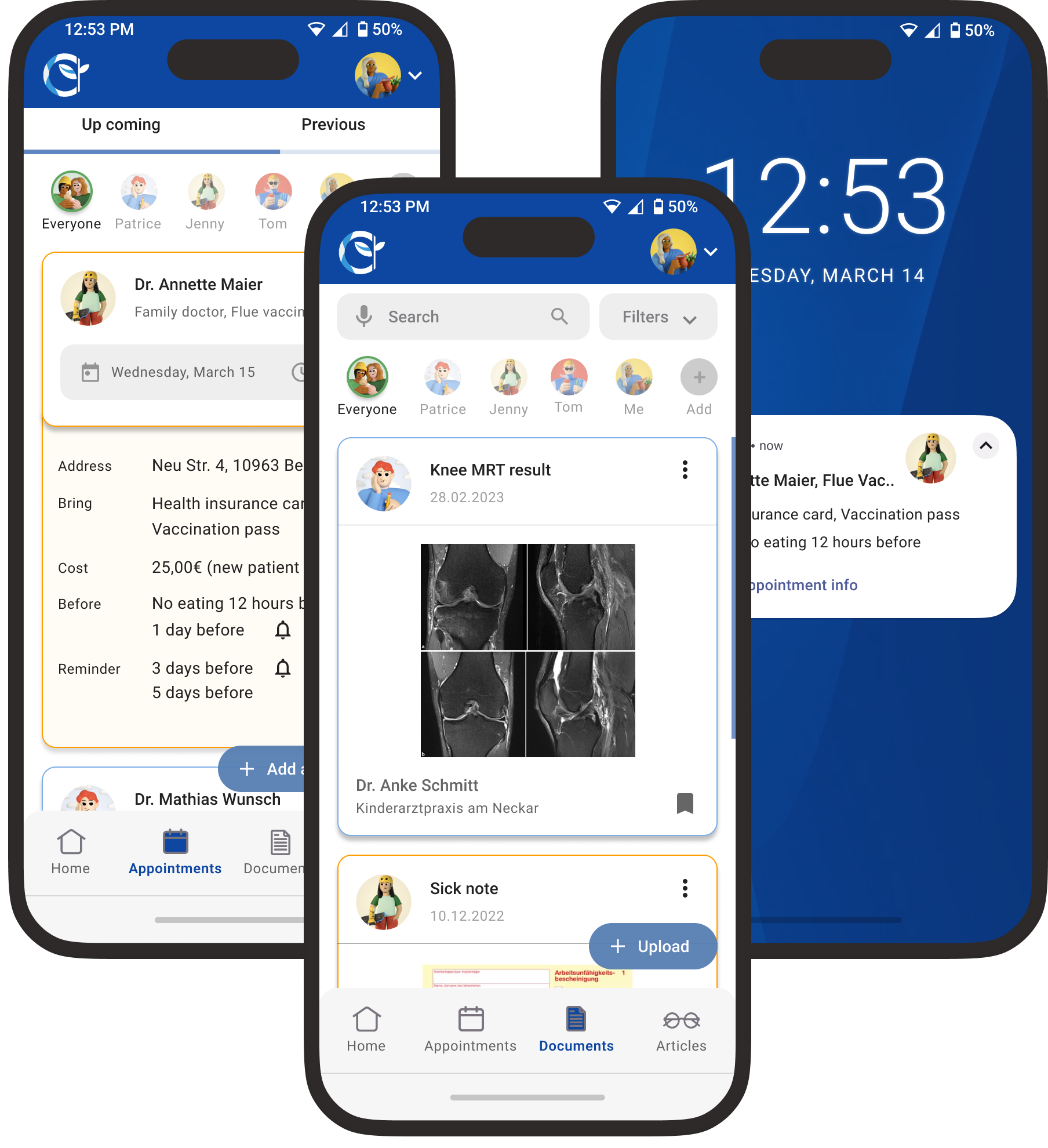
Health Aid
Family Health Assistant
Health Aid simplifies family health management with one platform for appointments, records, vaccinations, and shared care.
UX/UI · UX Research · A/B Testing . User Testing
View →
FARI DESIGN
Tailoring CVs faster & understand what recruiters are looking for.
Go to Final UI
Product Video
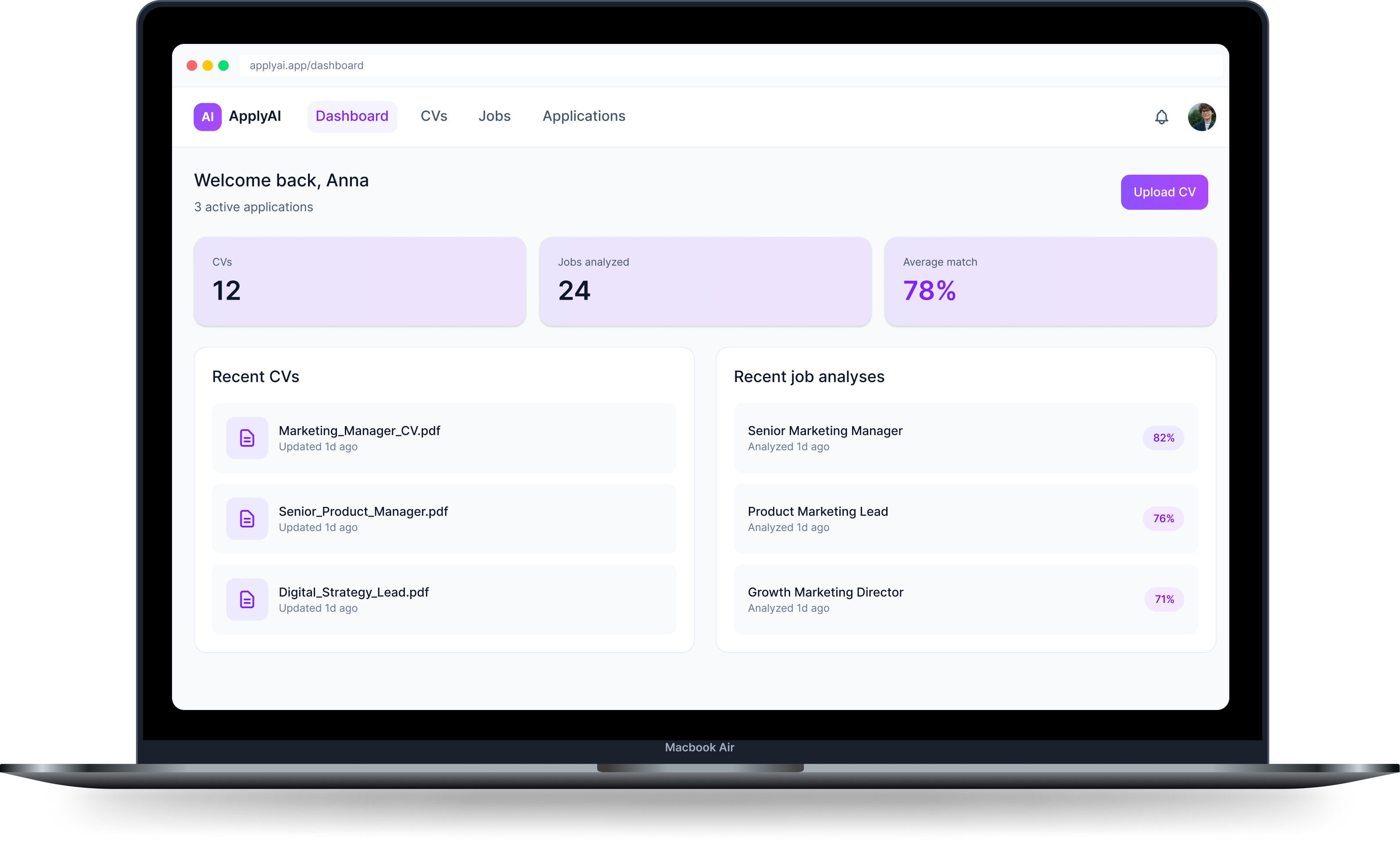
ApplyAI is an AI-assisted platform designed to help users optimize their CVs for specific job roles. The product combines job analysis, explainable AI suggestions, and application tracking to create a clearer and more efficient application workflow.
Applying for jobs is time-consuming and often frustrating. Most applicants don’t know what’s wrong with their CV and get little to no feedback.
Key challenges
To understand user behavior, I synthesized patterns from secondary research and AI-assisted analysis. The findings are indicative and were used to guide product decisions, rather than as precise quantitative data.

Users don't know why they get rejected
Lack of feedback makes it difficult to improve applications.

Customization is expected but inefficient
Tailoring CVs takes time and often feels unclear.

Users want guidance, not automation
People prefer support instead of full automation.

Time investment is high with low return
Users spend hours applying without clear outcomes.
Two personas were created to represent key user groups and better understand their goals, motivations, and pain points throughout the process.

Anna Müller
Marketing Manager

Munich, Germany
•
32 years old
Goals
•
Get more interview invitations
•
Apply efficiently
•
Improve CV quality
Frustrations
•
Doesn't know what recruiters expect
•
Too much time customizing CVs
•
Receives little feedback
Behaviors
•
Reuses CV with small edits
•
Applies to multiple jobs in batches
Needs
•
Clear feedback
•
Guidance, not automation
•
Faster workflow

"I just want to know what I'm missing instead of guessing every time."

Daniel Schneider
Former Sales Associate → UX Design
Berlin, Germany
•
28 years old
Goals
•
Successfully switch careers
•
Present transferable skills clearly
•
Stand out despite non-traditional background
Frustrations
•
"I don't know how to reframe my past roles."
•
"I get rejected without understanding why."
Behaviors
•
Frequently rewrites CV
•
Experiments with wording but feels unsure
Needs
•
Tanslating experience into skills
•
Suggestions
•
Confidence that the CV fits the role
"I feel like I have the skills, but I don't know how to show it."
The following behavioral patterns are based on synthesized research insights created for this conceptual case study and were used to support data-informed design decisions.
Frequency based on qualitative scale (0 = Rarely, 5 = Very common)
User CV Behavior Patterns


0
1
2
3
4
5


Reuse single CV
Fully customized


Time Spent per Job Application
0
1
2
3
4
5

Less than 30
minutes
1–2 hours
More than 2 hours


Preferred Level of Assistance
0
1
2
3
4
5
Guided AI
assistance
Full automation
No support


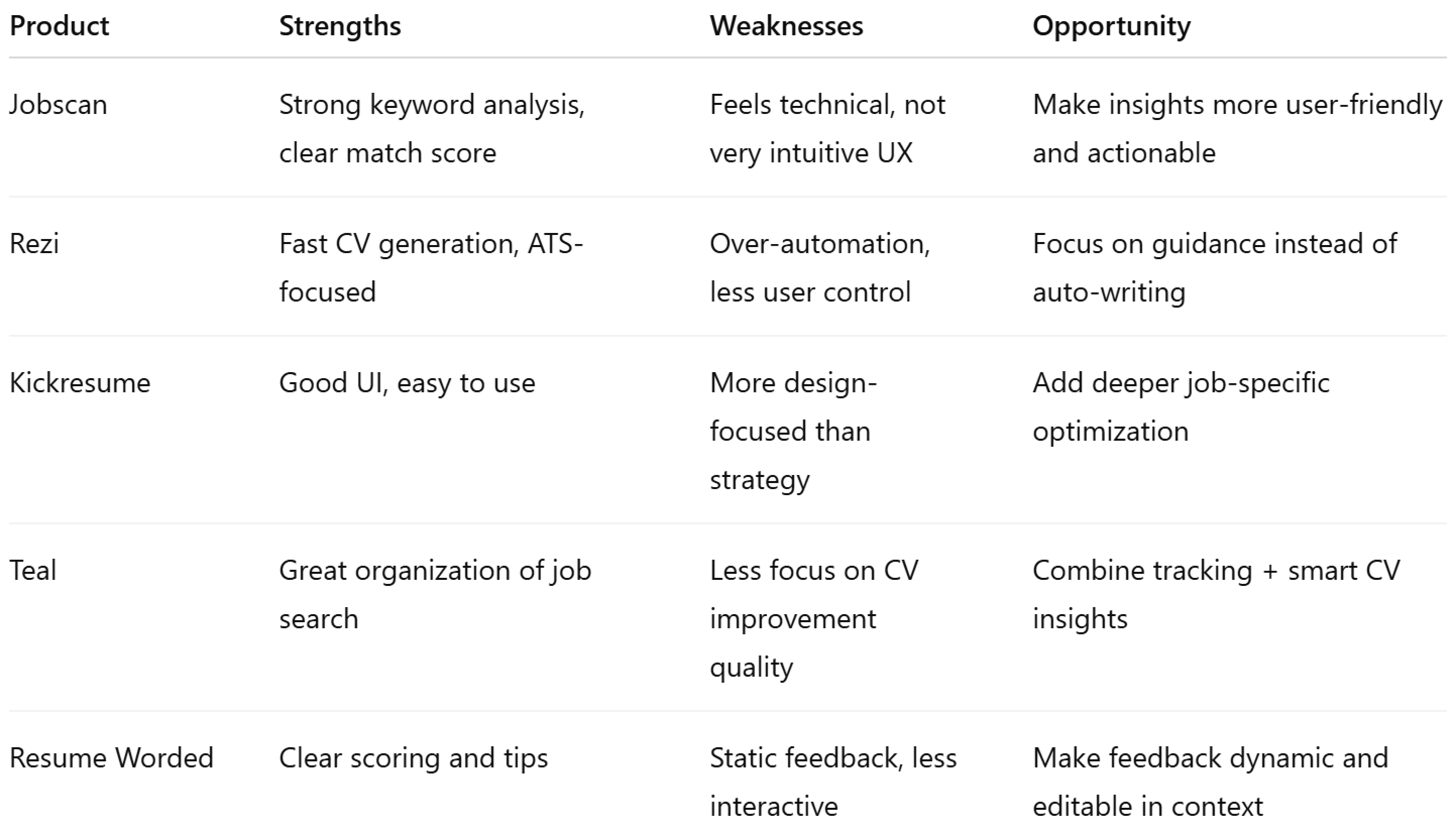
Several tools already support CV optimization and job applications. Platforms like Jobscan and Rezi focus on keyword matching and automated CV creation, while others like Teal help organize the application process.
However, many of these tools either:
Research findings were translated into product decisions to ensure the solution directly addressed key user frustrations and behavioral patterns.
1
Reduce friction in CV customization

Simplify editing instead of rebuilding CVs
2
Provide clear, actionable feedback
Match score and improvement suggestions
3
Keep users in control
Allow accepting/rejecting AI suggestions
4
Save time without removing clarity
Guided step-by-step workflow
Current tools mostly analyze CVs or generate them. This solution focuses on helping users understand and improve their applications while staying in control.
Anna’s journey highlights the main frustrations users experience while tailoring applications and shows how guided AI support can reduce uncertainty, save time, and improve confidence throughout the process.
Emotional Journey
Positive
Neutral
Negative


Step 1
Step 2
Step 3
Step 4
Step 5
Step 6
1
Discover job posting

Action
Finds a relevant job

Thoughts
"I'm not sure how to adjust my CV"
Uncertain
2
Prepare application
Action
Opens existing CV and tries to edit it
Thoughts
"What should I change for this job?"
Frustrated
3
Use ApplyAI
Action
Uploads CV and pastes job description
Thoughts
"I hope this gives me clear direction"
Curious
4
Review AI suggestions
Action
Sees match score and suggestions
Thoughts
“Now I understand what's missing"
Relief
5
Edit CV
Action
Applies suggested changes
Thoughts
"This is easier than doing it manually"
Confident
6
Submit application
Action
Downloads and submits CV
Thoughts
"This feels like a stronger application"
Confident
The information architecture was designed to create a clear and connected workflow between CV management, job analysis, editing, and application tracking while keeping navigation simple and intuitive.
ApplyAI
Dashboard
Overview
Recent CVs
Recent jobs
CVs
Upload CV
Manage versions
Select versioned CV
Jobs
Input job
View analyses
Match score
Keywords
CV Editor
Edit content
AI suggestions
Accept/reject
Applications
Applied jobs
Track status
CV versions
Settings
Profile
Preferences
AI settings
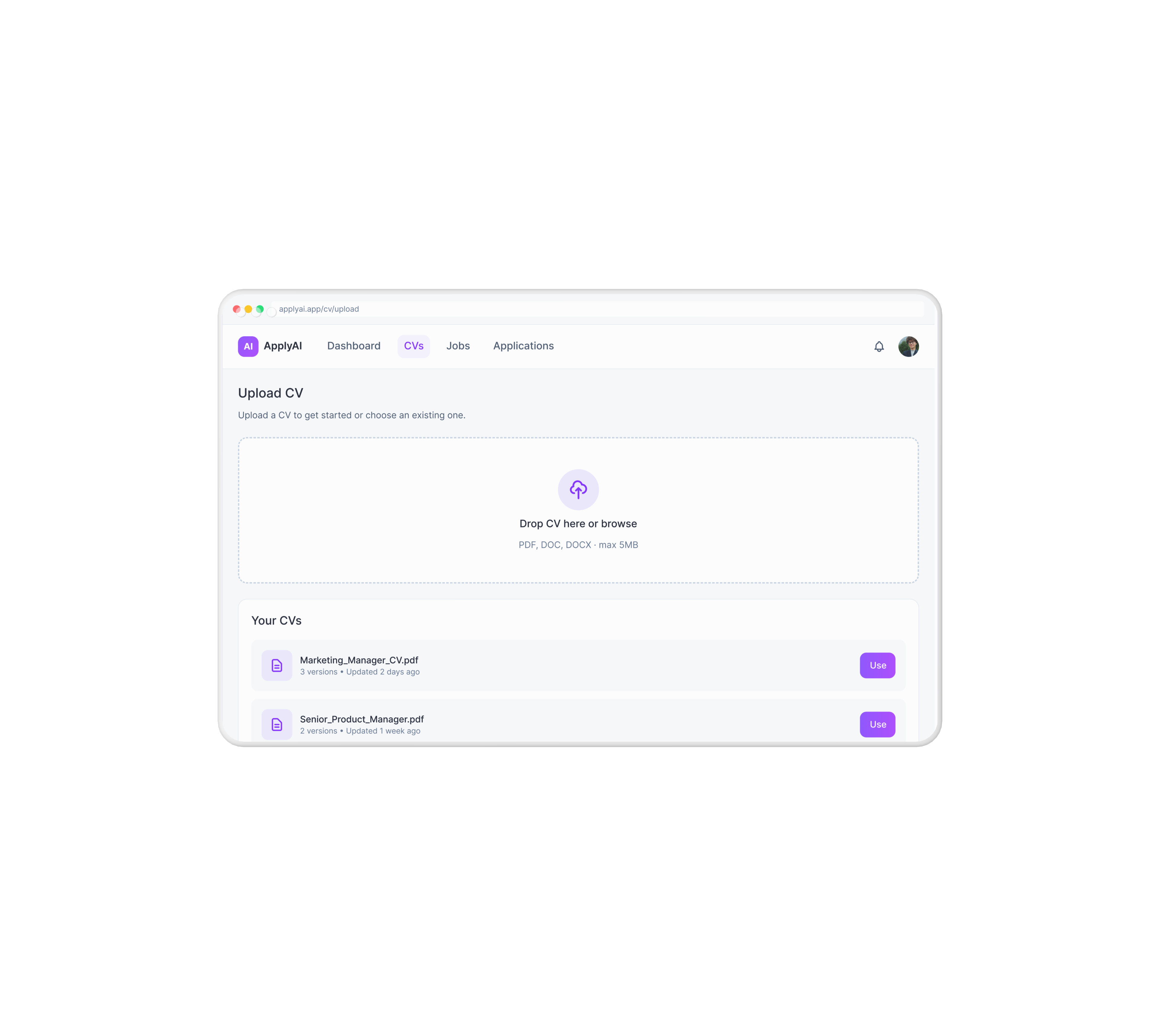
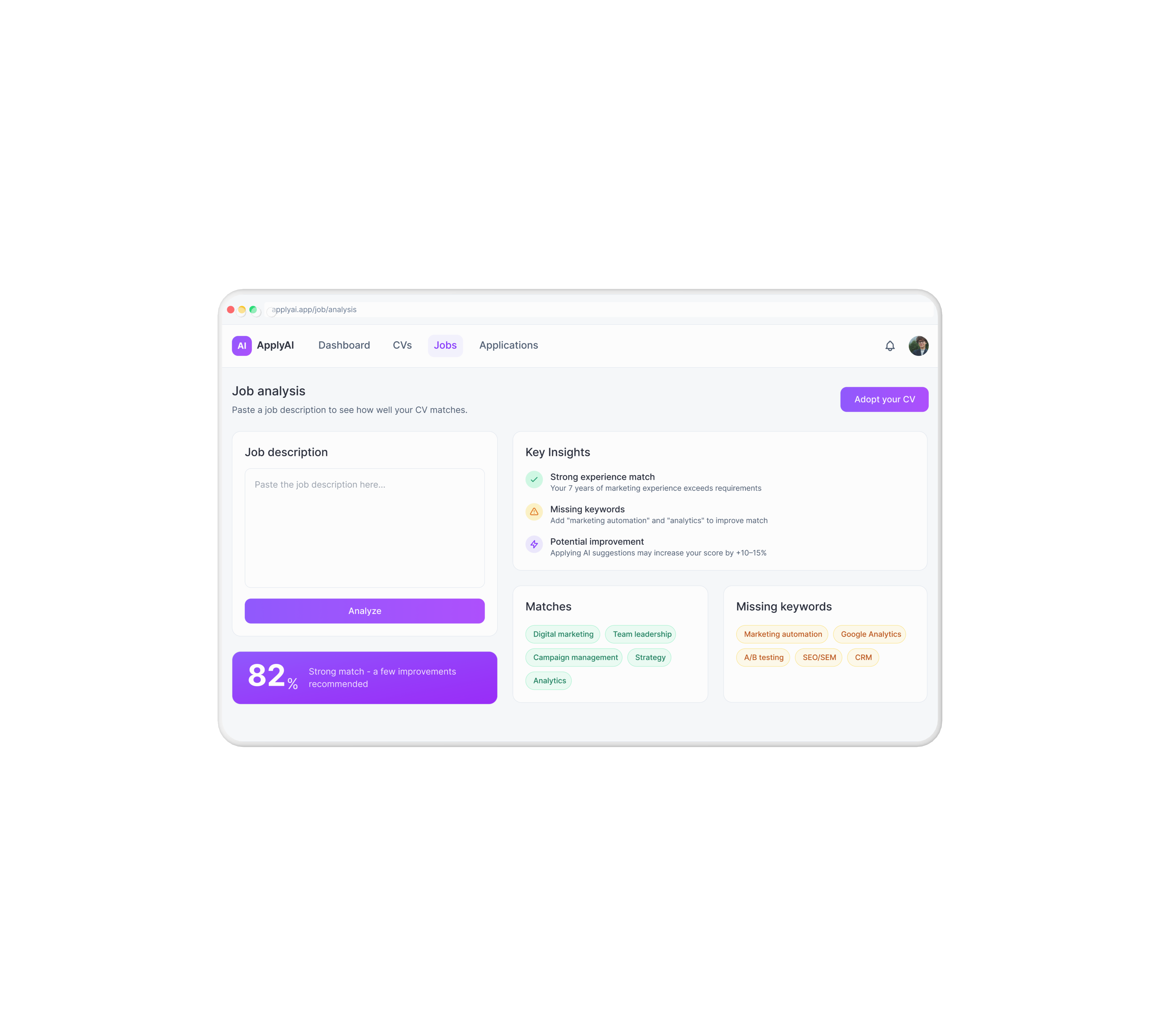
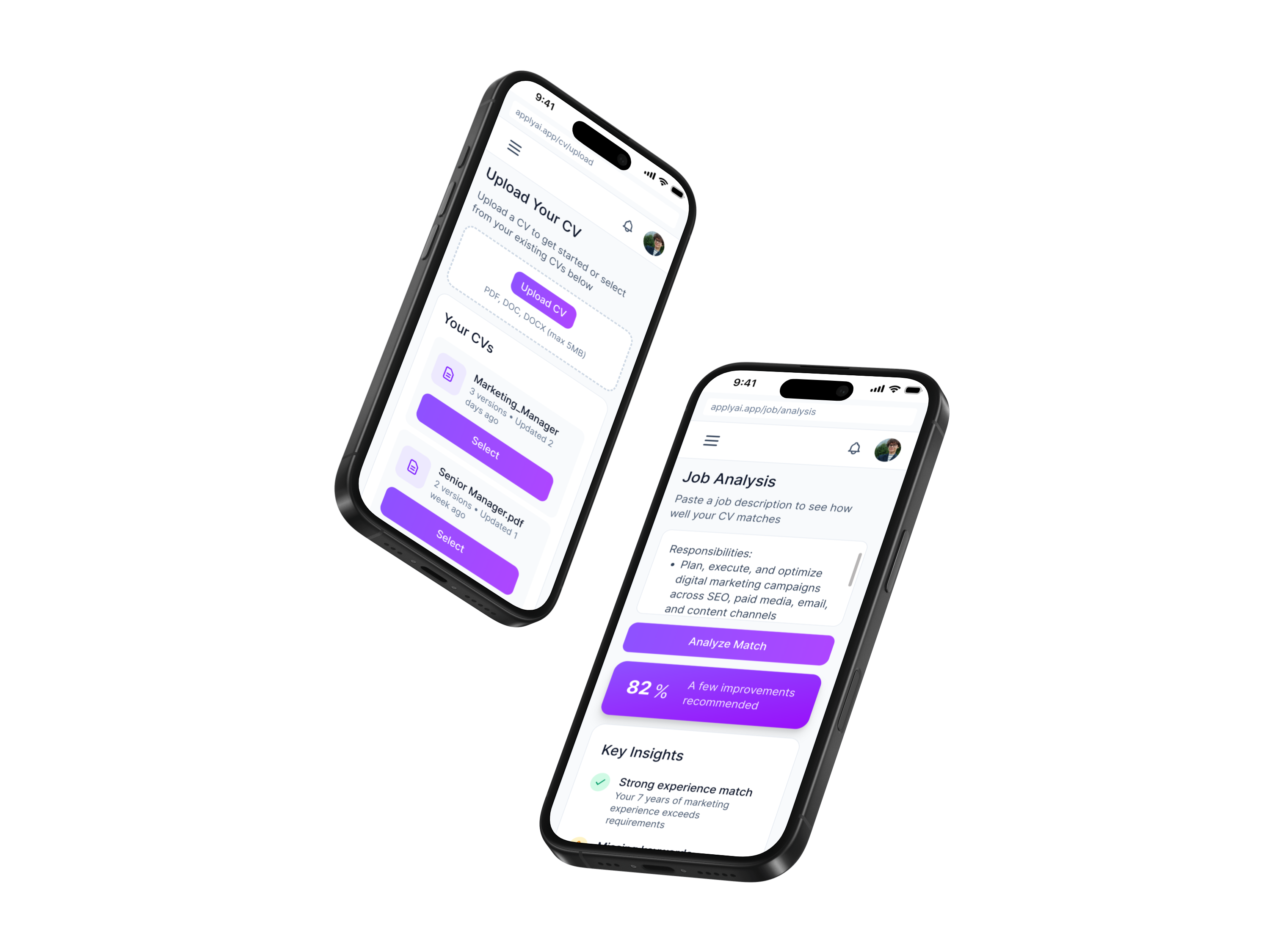
The final UI brings the product strategy into a cohesive, responsive experience designed to make job applications faster, clearer, and more user-controlled through AI-assisted guidance.
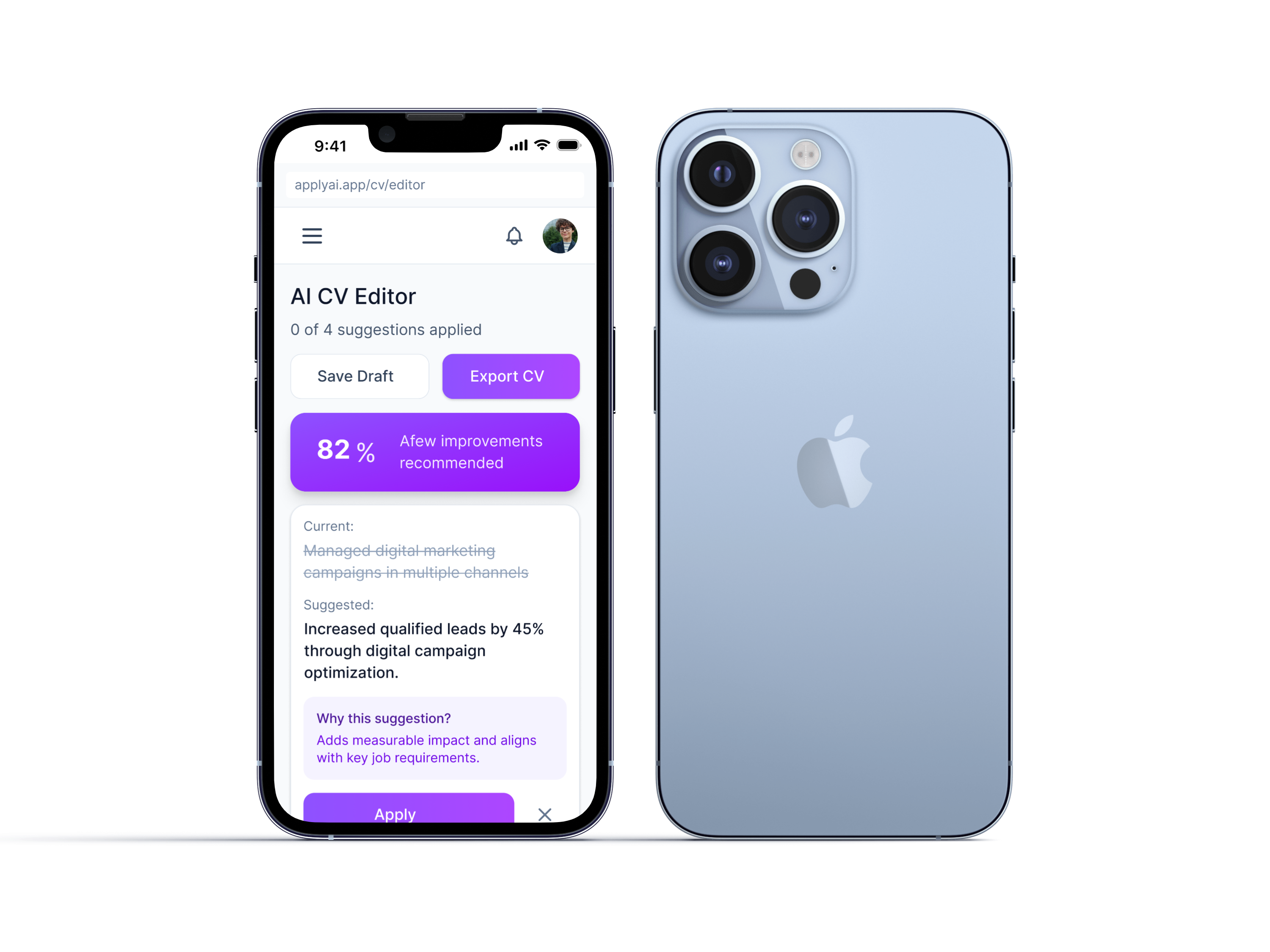
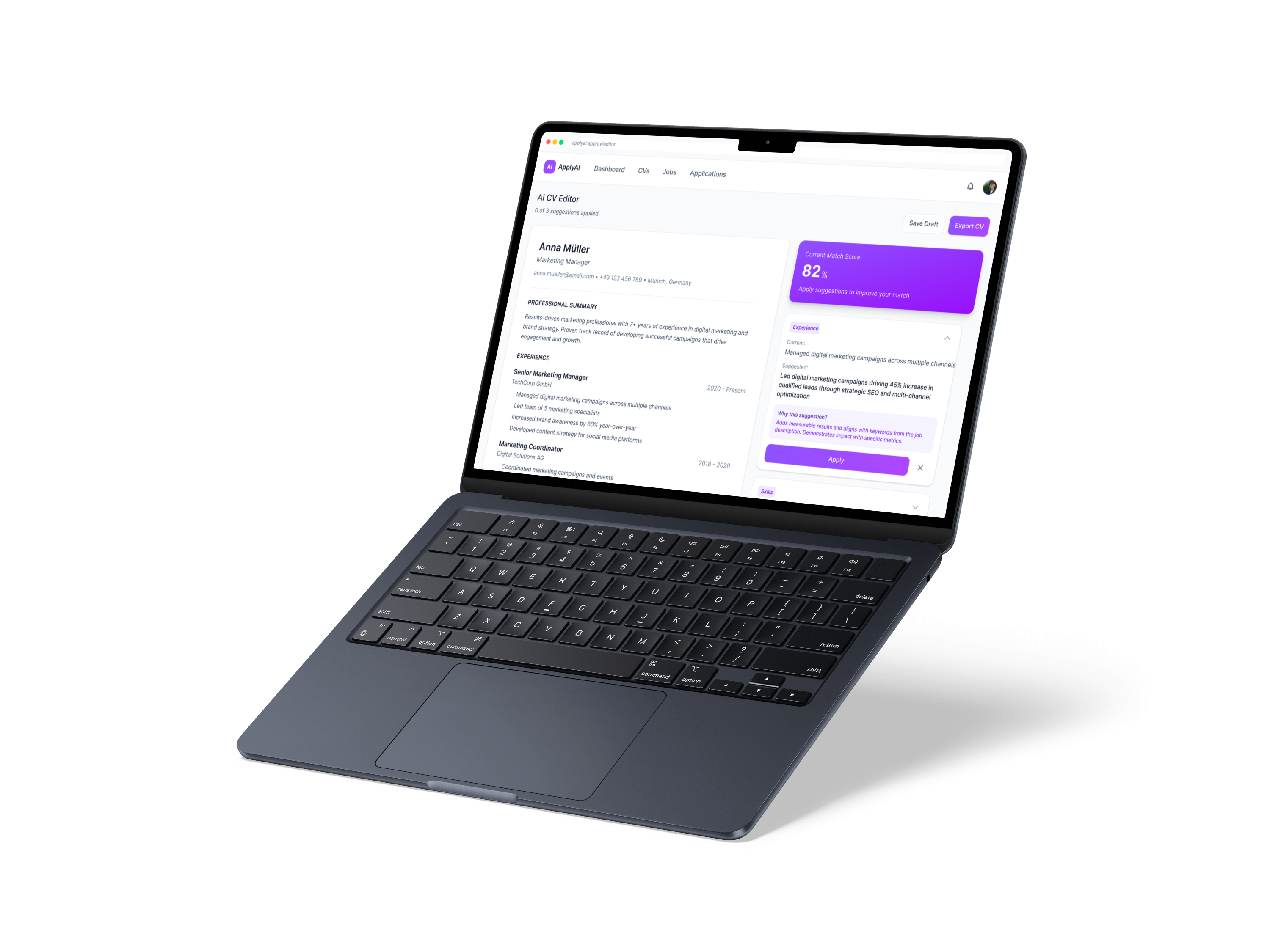
The CV editor combines live document editing with explainable AI suggestions, allowing users to review, accept, or reject improvements while staying in control of the final application.
Responsiveness Demo
Live Prototype Demo
Primary
#8b5cf6
Secondary
#a855f7
Hover Primary
#7c3aed
Hover Secondary
#9333ea
Neutral Colors
Main background
#ffffff
Borders
#e2e8f0
Secondary text
#475569
Primary text
#0f172a
Semantic Colors
Success
#10b981
Warning
#f59e0b
Error
#f43f5e
8px(2)
16px(4)
24px(6)
32px(8)
48px(12)
64px(16)
Heading 1 - Display
text-2xl (24px) • font-medium (500) • line-height: 1.5
Heading 2 - Page Title
text-xl (20px) • font-medium (500) • line-height: 1.5
Body text - Regular paragraph content
text-base (16px) • font-normal (400) • line-height: 1.5
Caption - Timestamps, and minimal supporting text.
text-xs (12px) • font-normal (400) • line-height: 1.5
Textarea
Enter job description...
Text Input
Enter your email
Skills / Keywords
Digital Marketing
Status Tags
Interview
Reviewing
Applied
Match Keywords
Digital marketing
Marketing automation
Primary
Default
Hover
Disabled
Secondary
Default
Hover
Disabled
Experience
Current:
Managed digital marketing campaigns
Suggested:
Led digital campaigns driving 45% increase in leads
Why this suggestion?
Adds measurable results and aligns with job keywords.
Apply

Main Content (60%)
Sidebar (40%)
Main Content
Secondary Content
Health Aid simplifies family health management with one platform for appointments, records, vaccinations, and shared care.
View →
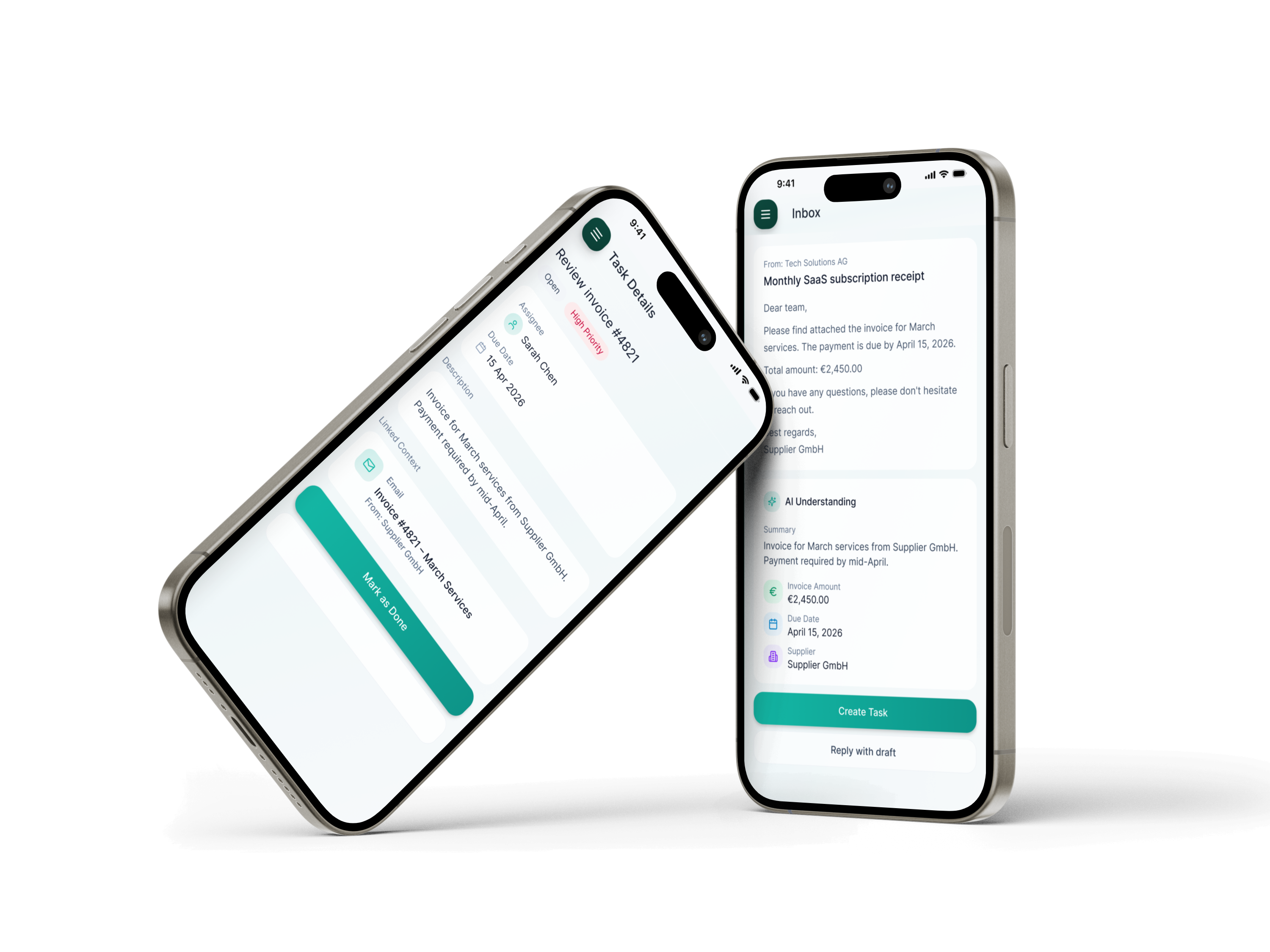
Inflow is an AI-powered workspace for SMEs that turns emails and documents into actionable next steps, reducing manual work and tool switching.
View →
Let's work together.
© 2026 Fardokht Hadjisalimi. Designed & built by me.
FARI DESIGN
Tailoring CVs faster & understand what recruiters are looking for.
Go to Final UI
Product Video
ApplyAI is an AI-assisted platform designed to help users optimize their CVs for specific job roles. The product combines job analysis, explainable AI suggestions, and application tracking to create a clearer and more efficient application workflow.
Applying for jobs is time-consuming and often frustrating. Most applicants don’t know what’s wrong with their CV and get little to no feedback.
Key challenges
To understand user behavior, I synthesized patterns from secondary research and AI-assisted analysis. The findings are indicative and were used to guide product decisions, rather than as precise quantitative data.
Users don't know why they get rejected
Lack of feedback makes it difficult to improve applications.
Customization is expected but inefficient
Tailoring CVs takes time and often feels unclear.
Users want guidance, not automation
People prefer support instead of full automation.
Time investment is high with low return
Users spend hours applying without clear outcomes.
Two personas were created to represent key user groups and better understand their goals, motivations, and pain points throughout the process.
Anna Müller
Marketing Manager
Munich, Germany
•
32 years old
Goals
•
Get more interview invitations
•
Apply efficiently
•
Improve CV quality
Frustrations
•
Doesn't know what recruiters expect
•
Spends too much time customizing CVs
•
Receives little feedback
Behaviors
•
Reuses CV with small edits
•
Applies to multiple jobs in batches
Needs
•
Clear feedback
•
Guidance, not automation
•
Faster workflow
"I just want to know what I'm missing instead of guessing every time."
Daniel Schneider
Former Sales Associate → UX Design
Berlin, Germany
•
28 years old
Goals
•
Successfully switch careers
•
Present transferable skills clearly
•
Stand out despite non-traditional background
Frustrations
•
"My experience doesn't match job descriptions directly."
•
"I don't know how to reframe my past roles."
•
"I get rejected without understanding why."
Behaviors
•
Frequently rewrites CV
•
Uses online templates and advice
•
Experiments with wording but feels unsure
Needs
•
Help translating experience into relevant skills
•
Suggestions for wording and positioning
•
Confidence that the CV fits the role
"I feel like I have the skills, but I don't know how to show it."
The following behavioral patterns are based on synthesized research insights created for this conceptual case study and were used to support data-informed design decisions.
Frequency based on qualitative scale (0 = Rarely, 5 = Very common)
User CV Behavior Patterns


0
1
2
3
4
5

Reuse single CV
Fully customized


Time Spent per Job Application
0
1
2
3
4
5
Less than 30
minutes
1–2 hours
More than 2 hours


Preferred Level of Assistance
0
1
2
3
4
5
Guided AI
assistance
Full automation
No support


Several tools already support CV optimization and job applications. Platforms like Jobscan and Rezi focus on keyword matching and automated CV creation, while others like Teal help organize the application process.
However, many of these tools either:
Research findings were translated into product decisions to ensure the solution directly addressed key user frustrations and behavioral patterns.
1
Reduce friction in CV customization
Simplify editing instead of rebuilding CVs
2
Provide clear, actionable feedback

Match score and improvement suggestions
3
Keep users in control

Allow accepting/rejecting AI suggestions
4
Save time without removing clarity

Guided step-by-step workflow
Current tools mostly analyze CVs or generate them. This solution focuses on helping users understand and improve their applications while staying in control.
Anna’s journey highlights the main frustrations users experience while tailoring applications and shows how guided AI support can reduce uncertainty, save time, and improve confidence throughout the process.
Emotional Journey
Positive
Neutral
Negative


Step 1
Step 2
Step 3
Step 4
Step 5
Step 6
1
Discover job posting
Action
Finds a relevant job
Thoughts
"I'm not sure how to adjust my CV"
Uncertain
2
Prepare application
Action
Opens existing CV and tries to edit it
Thoughts
"What should I change for this job?"
Frustrated
3
Use ApplyAI
Action
Uploads CV and pastes job description
Thoughts
"I hope this gives me clear direction"
Curious
4
Review AI suggestions
Action
Sees match score and suggestions
Thoughts
“Now I understand what's missing"
Relief
5
Edit CV
Action
Applies suggested changes
Thoughts
"This is easier than doing it manually"
Confident
6
Submit application
Action
Downloads and submits CV
Thoughts
"This feels like a stronger application"
Confident
The information architecture was designed to create a clear and connected workflow between CV management, job analysis, editing, and application tracking while keeping navigation simple and intuitive.
ApplyAI
Dashboard
Overview
Recent CVs
Recent jobs
CVs
Upload CV
Manage versions
Select versioned CV
Jobs
Input job
View analyses
Match score
Keywords
CV Editor
Edit content
AI suggestions
Accept/reject
Applications
Applied jobs
Track status
CV versions
Settings
Profile
Preferences
AI settings
The final UI brings the product strategy into a cohesive, responsive experience designed to make job applications faster, clearer, and more user-controlled through AI-assisted guidance.
The CV editor combines live document editing with explainable AI suggestions, allowing users to review, accept, or reject improvements while staying in control of the final application.
Responsiveness Demo
Live Prototype Demo
A comprehensive design system for building consistent, accessible, and scalable interfaces for the ApplyAI job application assistant.
Primary & Secondary Colors
Primary
#8b5cf6
Secondary
#a855f7
Hover Primary
#7c3aed
Hover Secondary
#9333ea
Neutral Colors
Main background
#ffffff
Borders
#e2e8f0
Secondary text
#475569
Primary text
#0f172a
Semantic Colors
Success
#10b981
Warning
#f59e0b
Error
#f43f5e
8px(2)
16px(4)
24px(6)
32px(8)
48px(12)
64px(16)
Heading 1 - Display
text-2xl (24px) • font-medium (500) • line-height: 1.5
Heading 2 - Page Title
text-xl (20px) • font-medium (500) • line-height: 1.5
Body text - Regular paragraph content
text-base (16px) • font-normal (400) • line-height: 1.5
Caption - Timestamps, and minimal supporting text.
text-xs (12px) • font-normal (400) • line-height: 1.5
Textarea
Enter job description...
Text Input
Enter your email
Skills / Keywords
Digital Marketing
Status Tags
Interview
Reviewing
Applied
Match Keywords
Digital marketing
Marketing automation
Primary
Default
Hover
Disabled
Secondary
Default
Hover
Disabled
Experience
Current:
Managed digital marketing campaigns
Suggested:
Led digital campaigns driving 45% increase in leads
Why this suggestion?
Adds measurable results and aligns with job keywords.
Apply
Main Content (60%)
Sidebar (40%)
Main Content
Secondary Content
Health Aid simplifies family health management with one platform for appointments, records, vaccinations, and shared care.
View →
Inflow is an AI-powered workspace for SMEs that turns emails and documents into actionable next steps, reducing manual work and tool switching.
View →
Let's work together.
© 2026 Fardokht Hadjisalimi. Designed & built by me.


