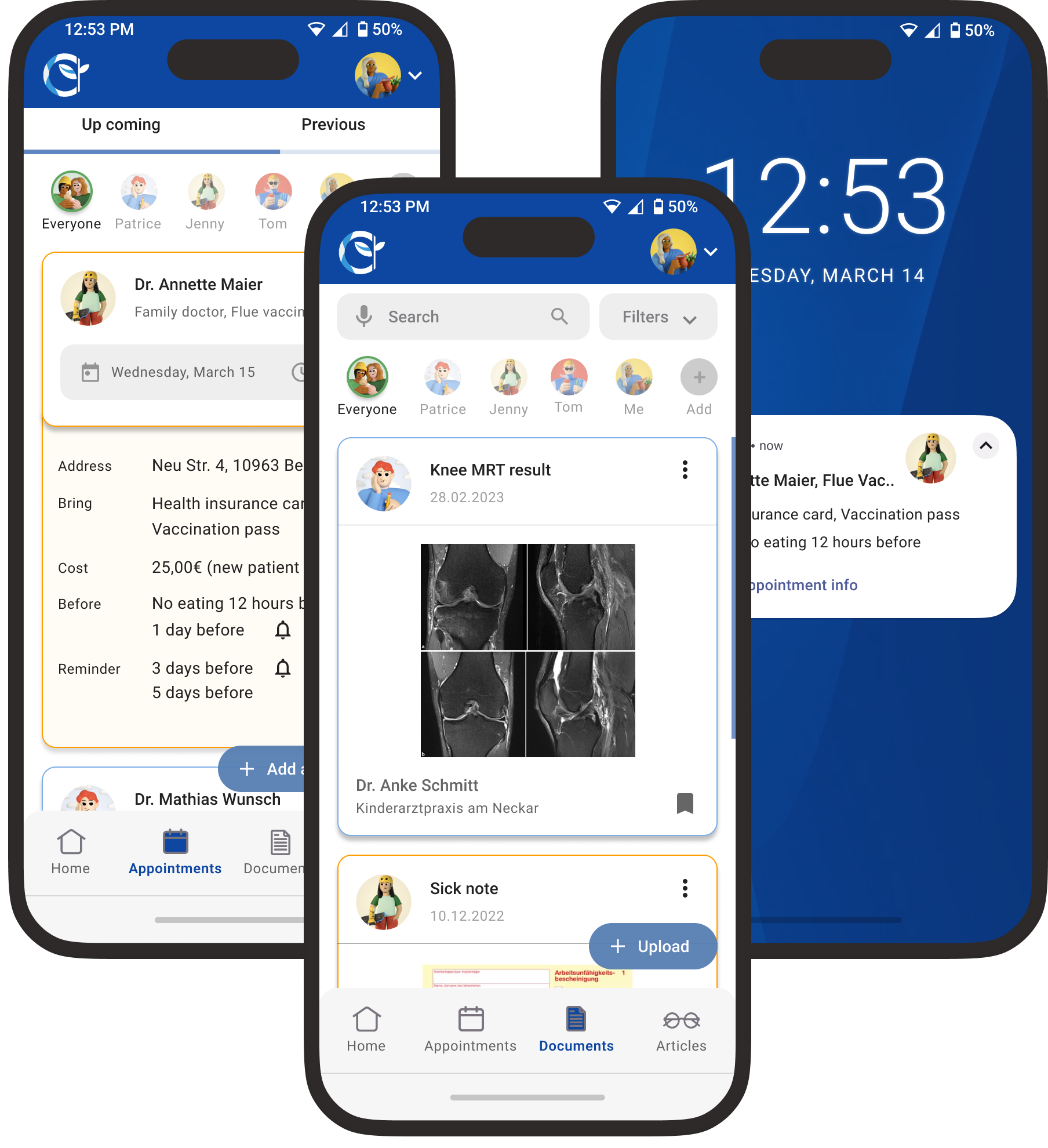
Health Aid
Family Health Assistant
Health Aid simplifies family health management with one platform for appointments, records, vaccinations, and shared care.
UX/UI · UX Research · A/B Testing . User Testing
View →
FARI DESIGN
AI Operations Inbox for SMEs
Go to Final UI
Product Video
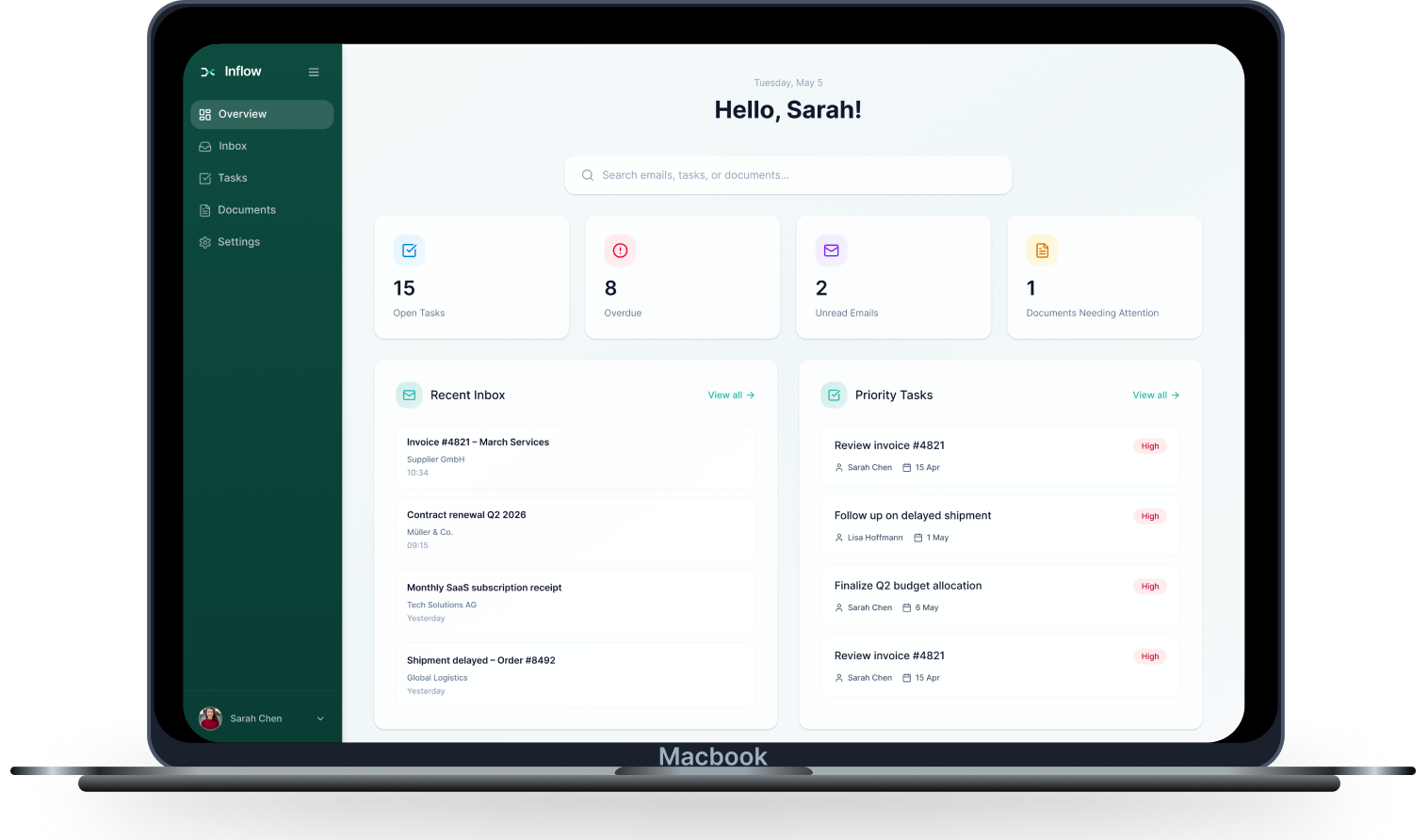
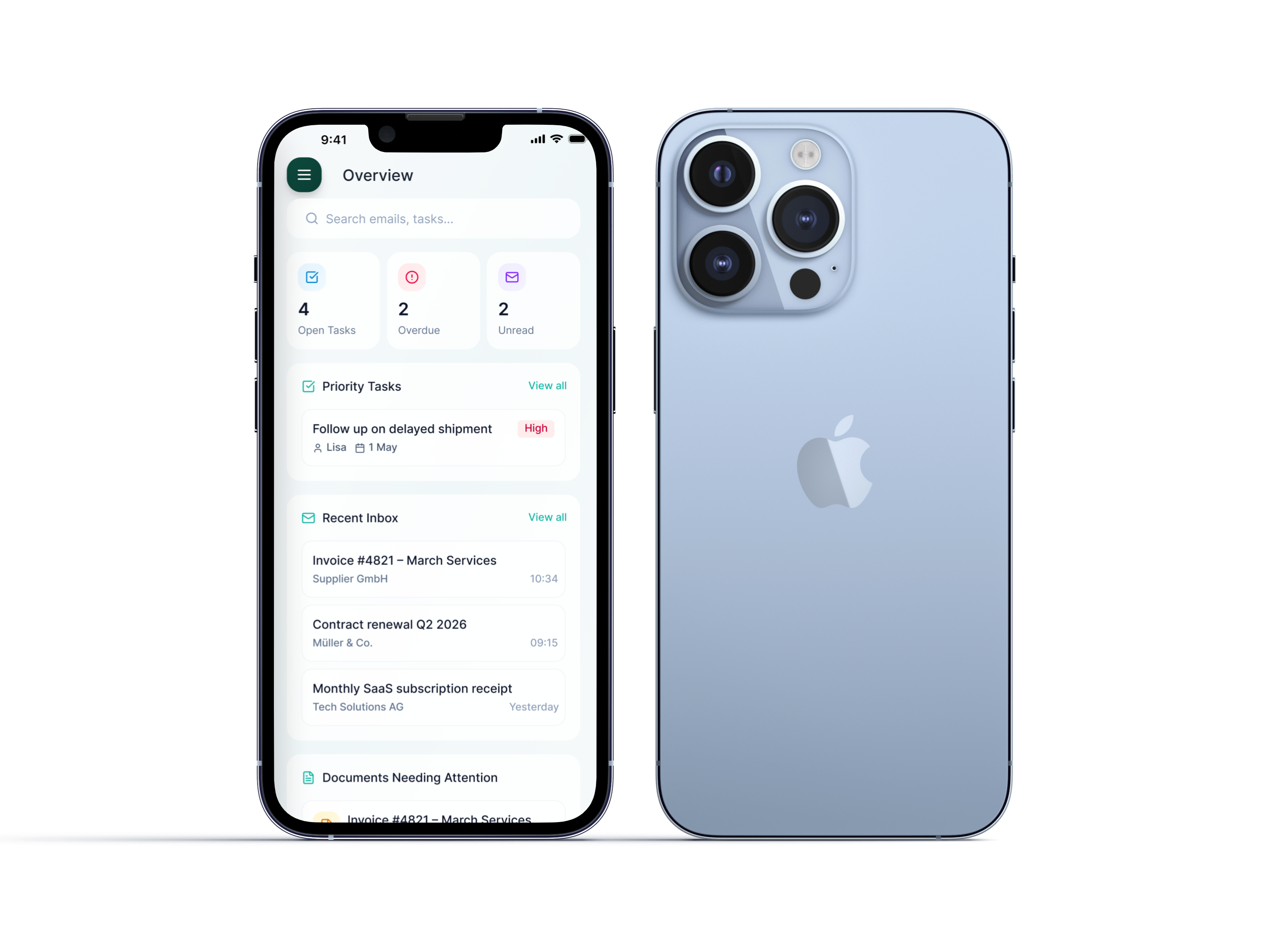
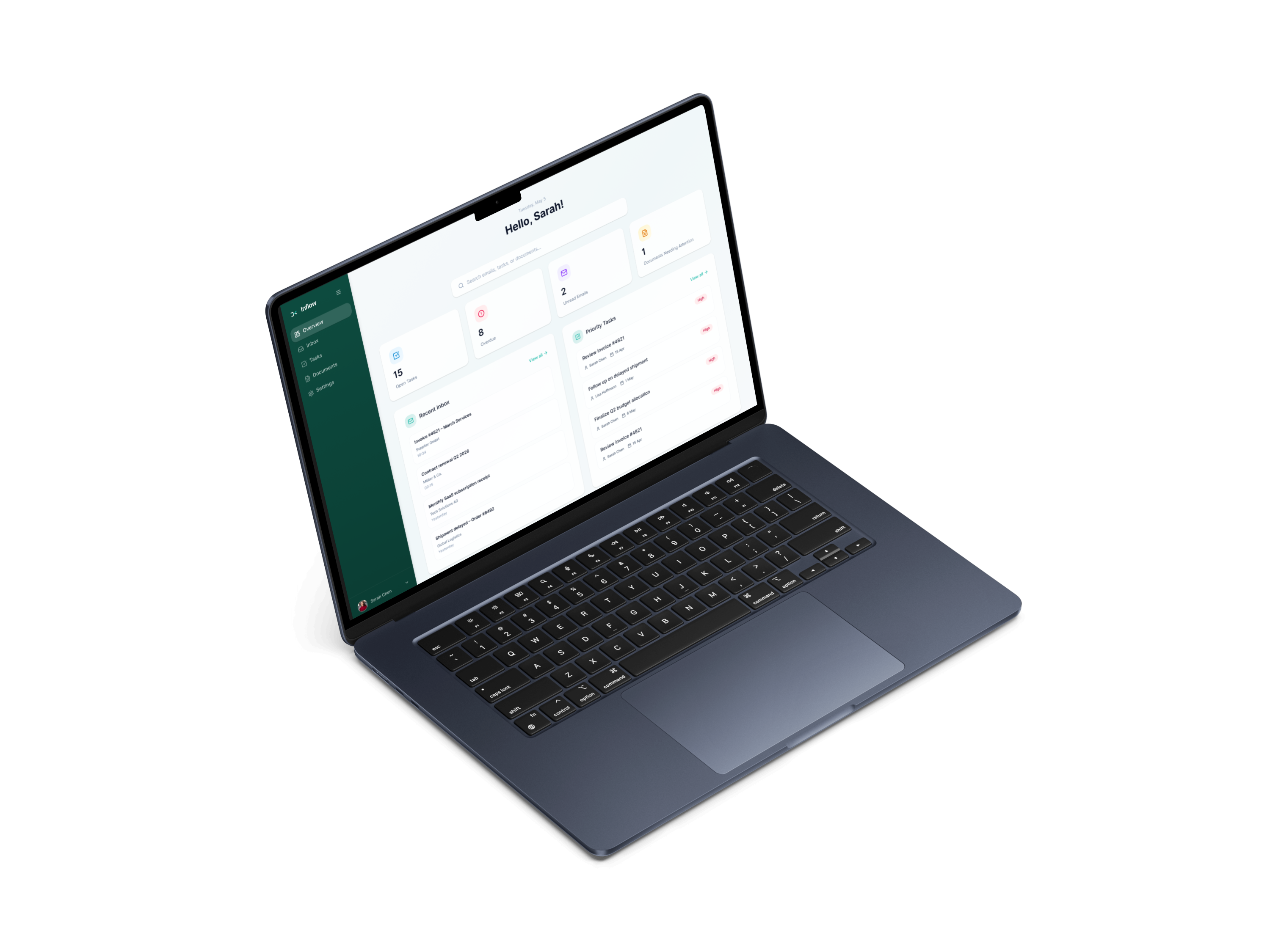
Inflow is an AI-powered workspace for SMEs that helps operations teams turn incoming emails and documents into clear next steps by extracting key information and reducing the need to switch between tools.
How might we help operations teams in SMEs turn incoming emails and documents into clear, trackable actions without manual effort or tool-switching?

Tool Overload
Switching between emails, documents, and task managers

Hidden Information
Important details buried in long email threads

Manual Work
Tasks created by hand, data copied repeatedly

Missed Follow-ups
Deadlines slip through without clear tracking
An AI-powered operations inbox that understands incoming communication, extracts key information, and suggests next steps — so teams can move from input to action in one flow.

AI Analysis
Automatically reads and categorizes incoming emails

Smart Extraction
Pulls key data, dates, and requirements

Action Suggestions
Recommends next steps based on context

Unified Workflow
Connects emails, documents, and tasks
To understand user behavior, I synthesized patterns from secondary research and AI-assisted analysis. The findings are indicative and were used to guide product decisions, rather than as precise quantitative data.
Opportunities
How Inflow solves them

Centralized workflow
Everything in one unified workspace
AI-powered extraction
Automated data capture and organization
Reduced cognitive load
Stay in flow, let AI handle the switching
Clear next actions
Always know what to do next
Better tracking
Never lose sight of important work
Pain Points
What users struggle with today

Information scattered
Data lives in emails, attachments, multiple tools
Manual data extraction
Copy-pasting wastes hours every week
Context switching
Constant app-hopping breaks focus
Lack of clarity
Hard to know what needs attention
Missed follow-ups
Important tasks slip through the cracks
Two personas were created to represent key user groups and better understand their goals, motivations, and pain points throughout the process.

Sarah Müller
Operations Manager
Responsible for overseeing daily operations and ensuring tasks are completed on time.

Goals
•
Keep operations running smoothly
•
Ensure nothing is missed
•
Improve team efficiency

Pain Points
•
Important emails get lost
•
No clear ownership of tasks
•
Hard to track follow-ups

Needs
•
Clear overview of work
•
Structured workflows
•
Better visibility and tracking

Lukas Schneider
Finance & Admin Specialist
Handles invoices, documents, and communication with suppliers.
Goals
•
Process invoices quickly
•
Avoid mistakes
•
Keep documents organized
Pain Points
•
Manual data extraction from PDFs
•
Switching between tools
•
Missing payment deadlines
Needs
•
Automated data extraction
•
Centralized documents
•
Clear next steps
Existing tools solve parts of the workflow, but not the full operational process. Email tools focus on communication, document platforms focus on storage, and automation tools often require complexity that SMEs cannot maintain. Inflow’s opportunity is to connect communication, documents, and action in one AI-supported workspace.
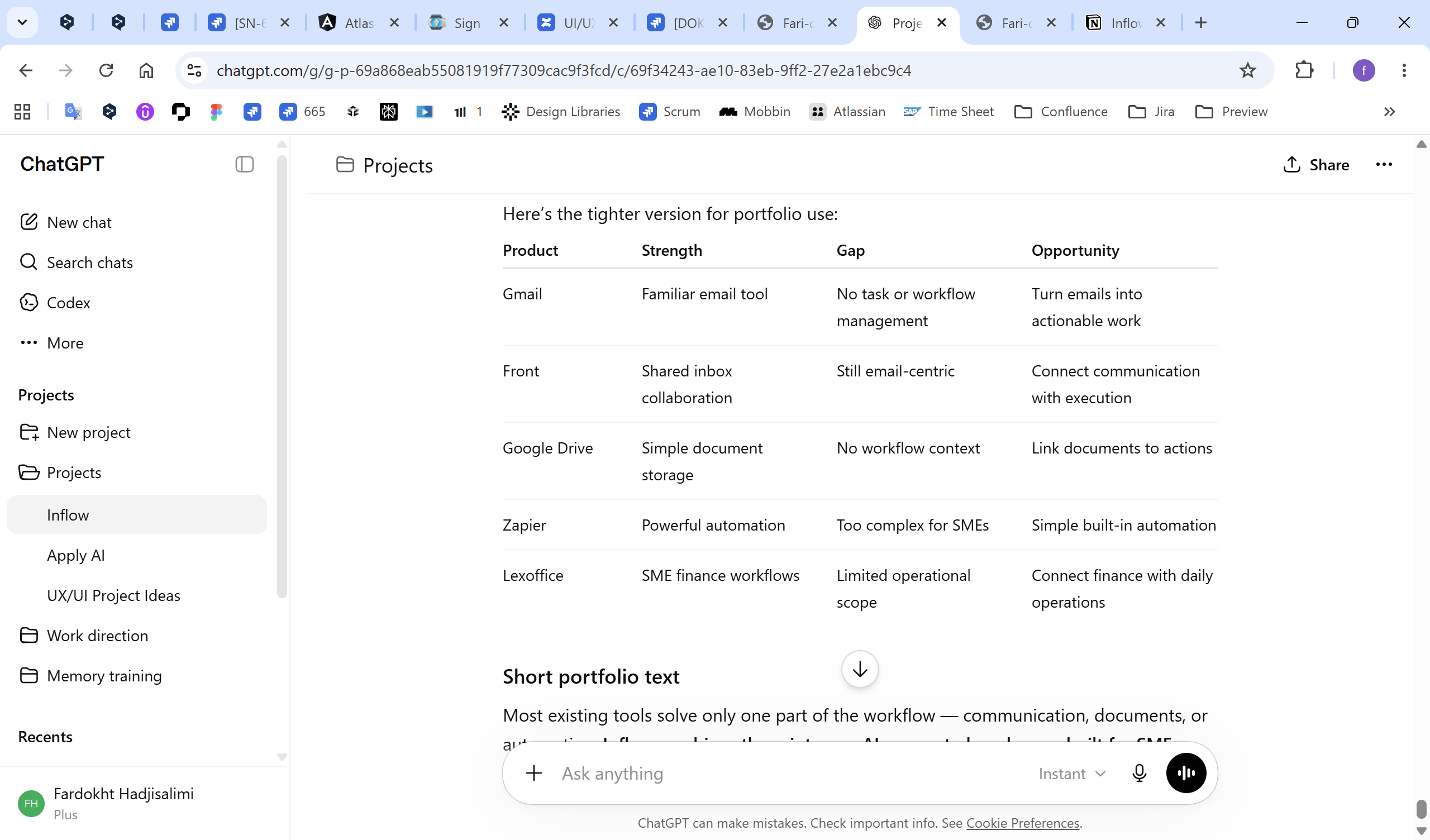
Clear separation of work
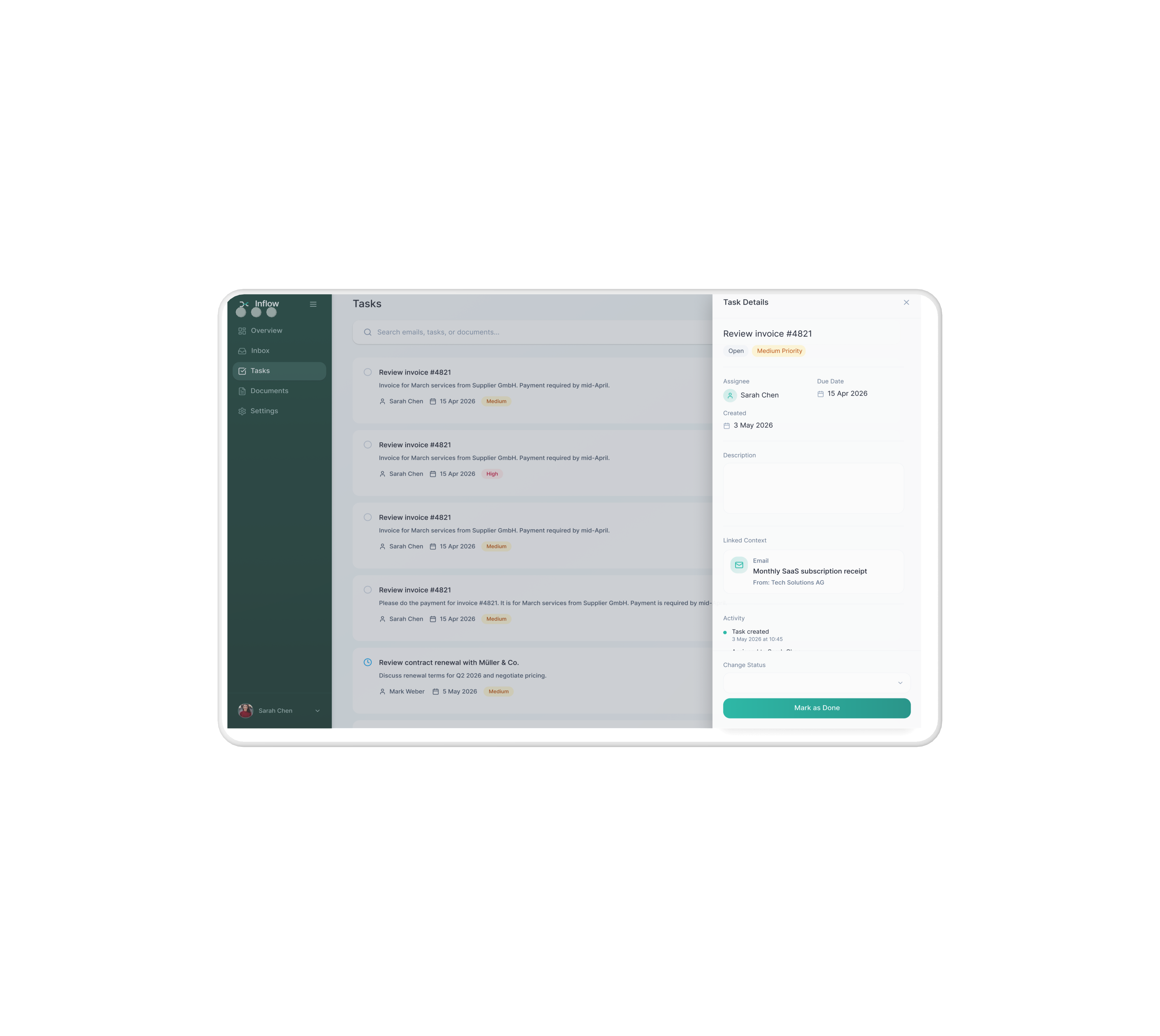
Inbox handles incoming communication, while Tasks represent actions — helping users move from reading to doing.
Documents in context
Files are accessible in a dedicated section, but always linked to their related emails and tasks.
AI embedded in the workflow
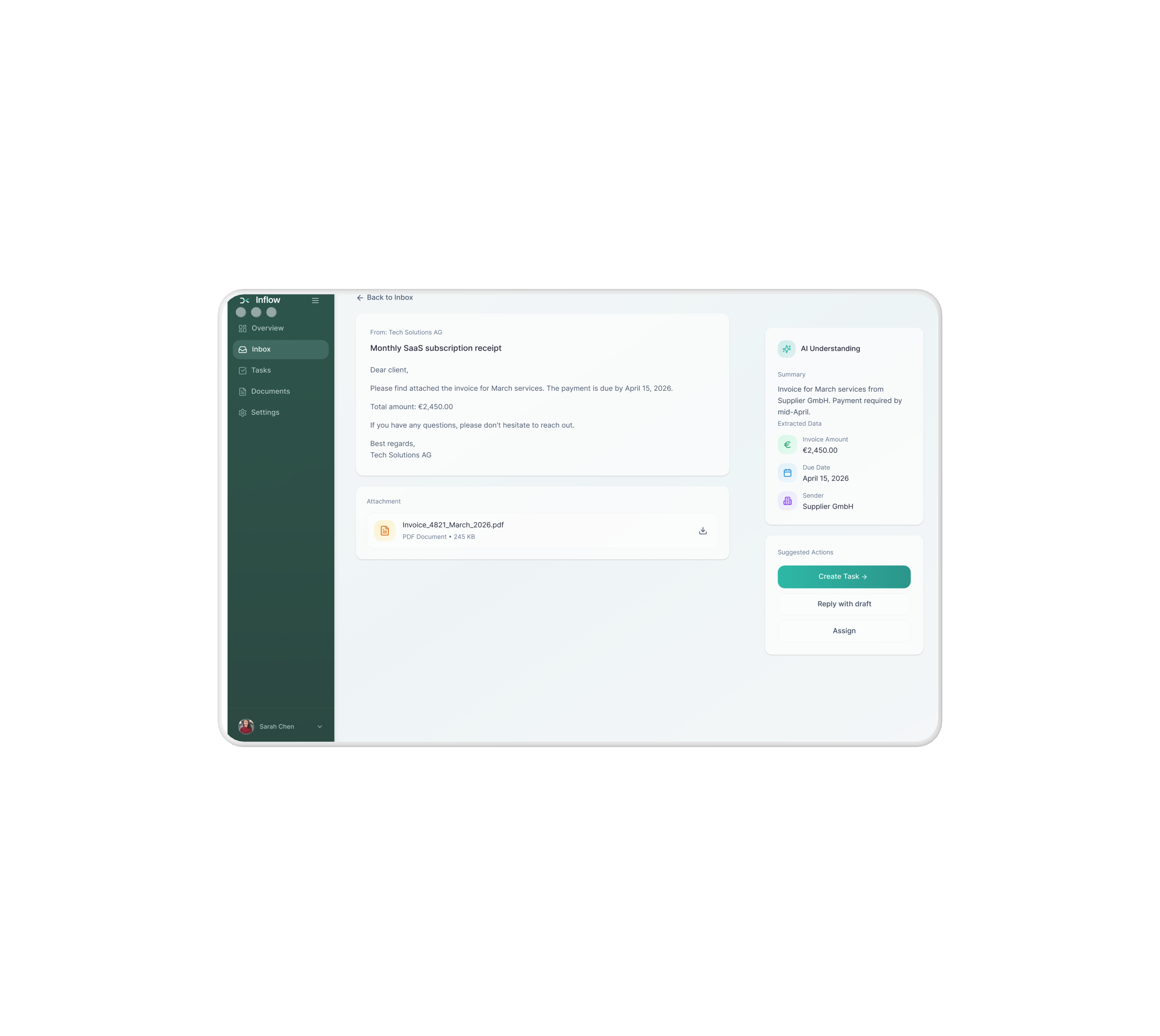
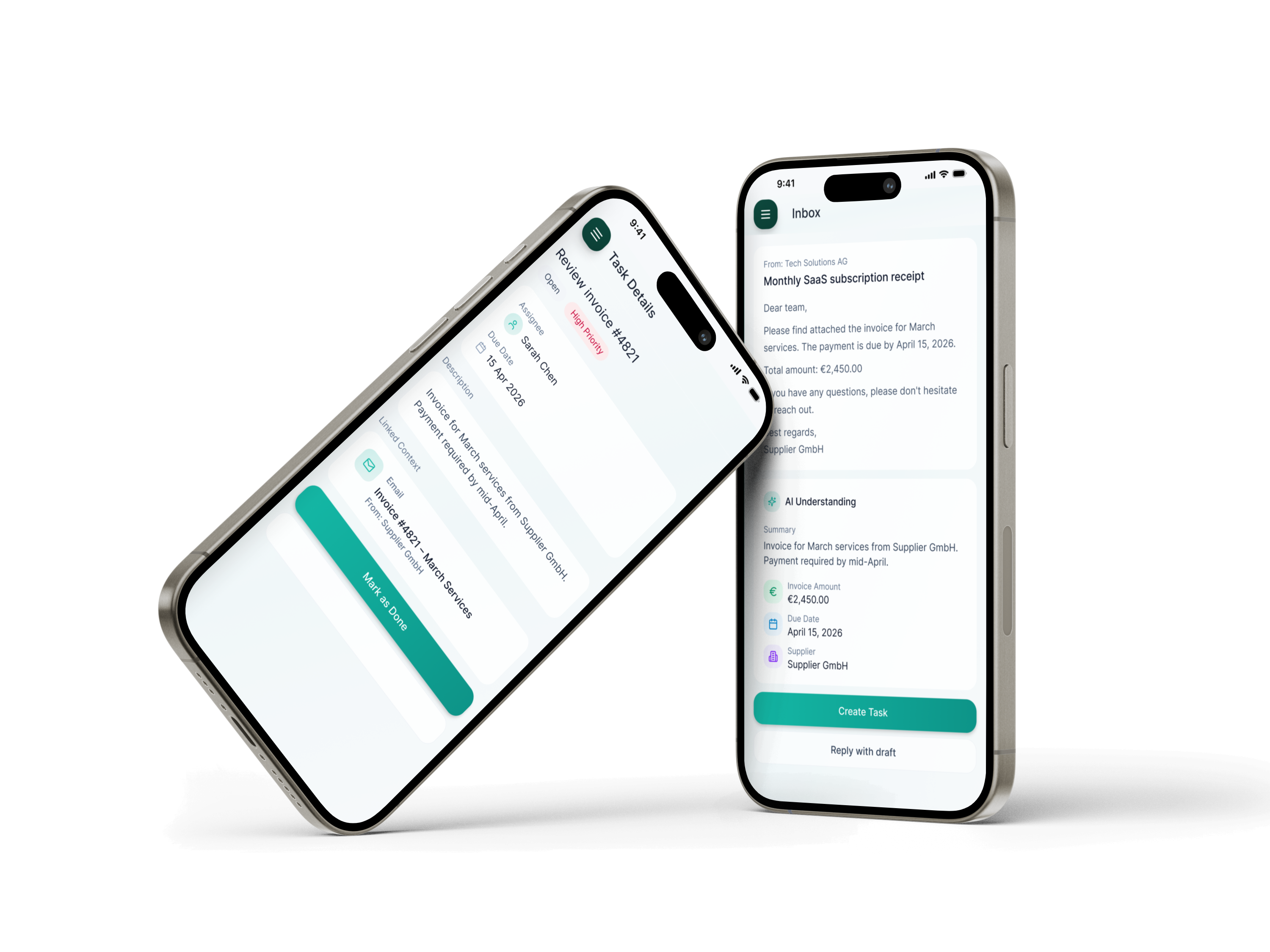
AI appears directly where work happens (email view), supporting decisions without adding complexity.
Focused navigation
A minimal sidebar keeps the product simple and easy to navigate.
From information to action
The system is designed so every input leads to a clear next step.
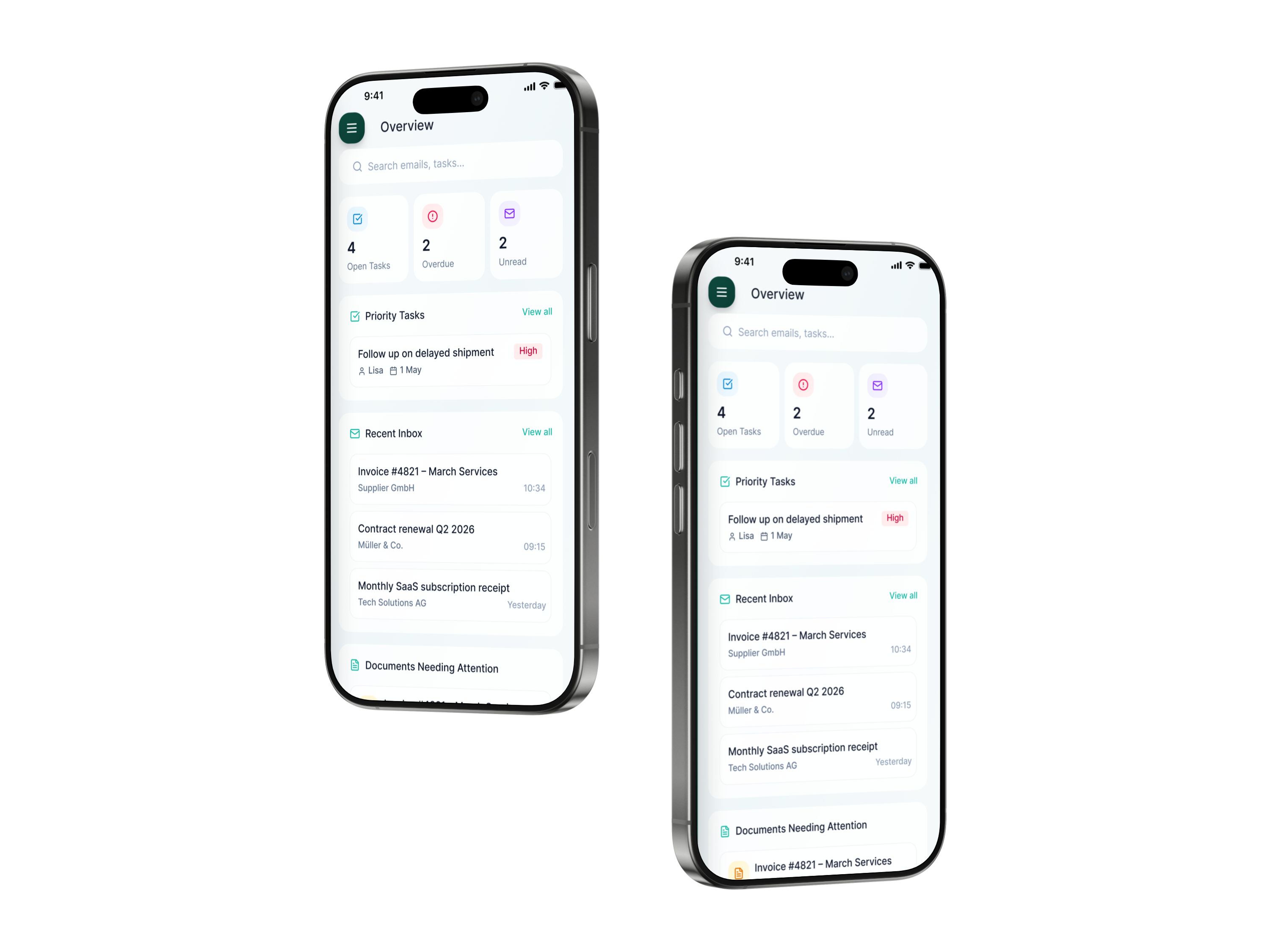
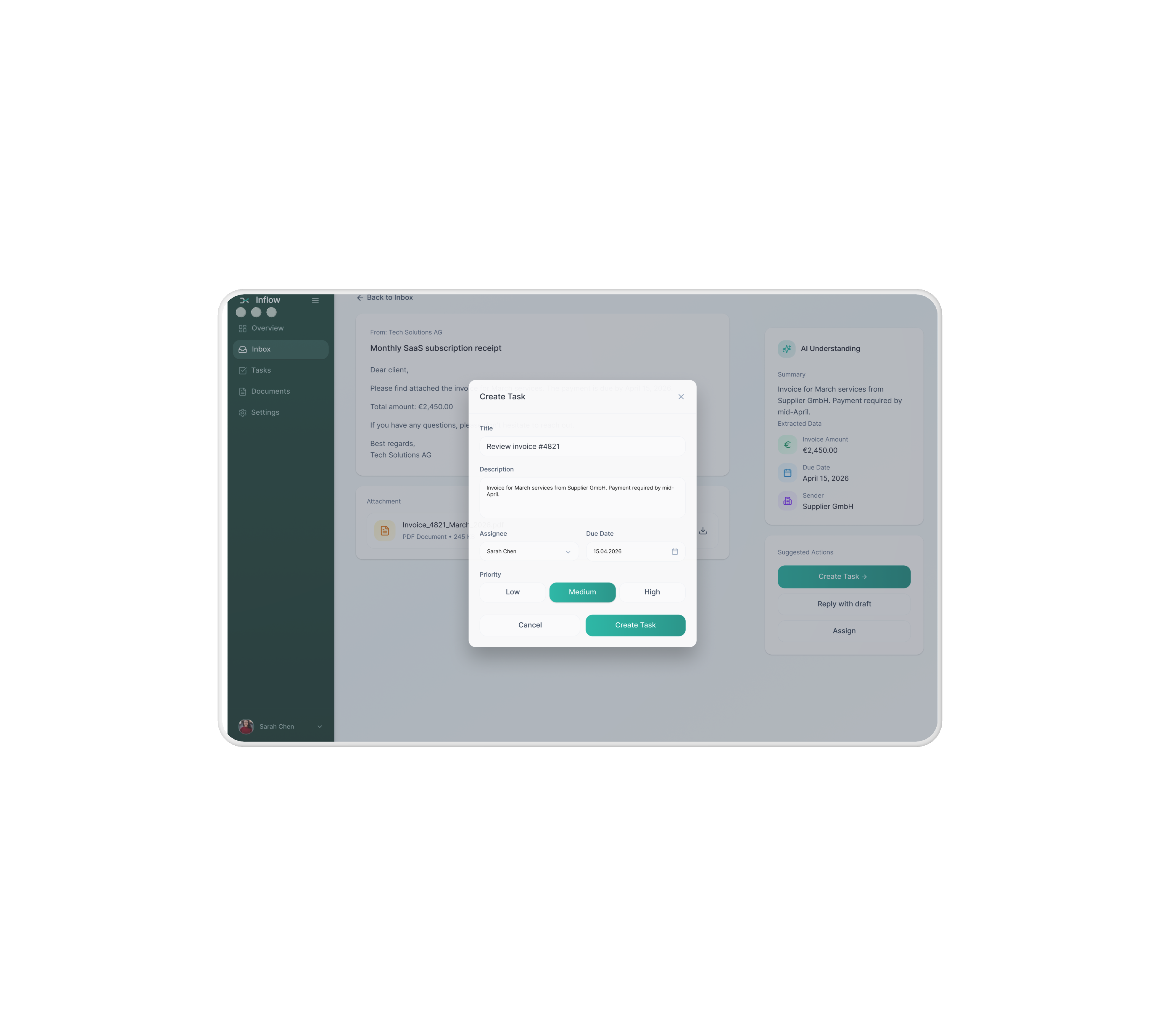
The final interface follows a clean, modern SaaS design focused on clarity and efficient decision-making. A clear visual hierarchy helps users quickly understand information and prioritize actions, while AI insights are intentionally separated from core user content to maintain trust and readability. Minimal distractions keep the experience focused, helping operations teams move from information to action efficiently.
Live Prototype Demo
A comprehensive design system for building consistent, accessible, and scalable interfaces for the ApplyAI job application assistant.
Color System
Primary
#0d4b3f
Sidebar Dark
#0a3d33
Sidebar Base
#14b8a6
Accent Primary
#0d9488
Accent Dark
Neutral
#f7f9fb
Background
fffff
Card Surface
F1F1F1
Border
Text
#1e293b
Primary
#64748b
Secondary
Typography
Heading 1 — 36px / Bold
Heading 2 — 24px / Medium
Body — 16px / Regular
Caption — 14px / Regular
Spacing System
8px base grid system
8px
0.5rem
16px
1rem
24px
1.5rem
32px
2rem
48px
3rem
Components
Sidebar
Buttons
Primary Button

Secondary Button
Elevation & Style
Border Radius
8px — Small
12px — Medium
16px — Large
Shadow Levels
Small
Medium
Large
Icons & Tags
Status Tags

Open

In Progress

Done
Priority Tags

High Priority

Medium Priority

Low Priority
Health Aid simplifies family health management with one platform for appointments, records, vaccinations, and shared care.
View →

Property Pro helps remote buyers and renters make confident property decisions with virtual tours, local insights, and essential property data.
View →
Let's work together.
© 2026 Fardokht Hadjisalimi. Designed & built by me.
FARI DESIGN
AI Operations Inbox for SMEs
Go to Final UI
Product Video

applyai.app/dashboard
AI
ApplyAI
Dashboard
CVs
Jobs
Applications


Welcome back, Anna
3 active applications
Upload CV
CVs
12
Jobs analyzed
24
Average match
78%
Recent CVs

Marketing_Manager_CV.pdf
Updated 1d ago
Senior_Product_Manager.pdf
Updated 1d ago
Digital_Strategy_Lead.pdf
Updated 1d ago
Recent job analyses
Senior Marketing Manager
Analyzed 1d ago
82%
Product Marketing Lead
Analyzed 1d ago
76%
Growth Marketing Director
Analyzed 1d ago
71%
Macbook Air

Inflow is an AI-powered workspace for SMEs that helps operations teams turn incoming emails and documents into clear next steps by extracting key information and reducing the need to switch between tools.
How might we help operations teams in SMEs turn incoming emails and documents into clear, trackable actions without manual effort or tool-switching?
Tool Overload
Switching between emails, documents, and task managers
Hidden Information
Important details buried in long email threads
Manual Work
Tasks created by hand, data copied repeatedly
Missed Follow-ups
Deadlines slip through without clear tracking
An AI-powered operations inbox that understands incoming communication, extracts key information, and suggests next steps — so teams can move from input to action in one flow.
AI Analysis
Automatically reads and categorizes incoming emails
Smart Extraction
Pulls key data, dates, and requirements
Action Suggestions
Recommends next steps based on context
Unified Workflow
Connects emails, documents, and tasks
To understand user behavior, I synthesized patterns from secondary research and AI-assisted analysis. The findings are indicative and were used to guide product decisions, rather than as precise quantitative data.
Pain Points
What users struggle with today
Information scattered
Data lives in emails, attachments, multiple tools
Manual data extraction
Copy-pasting wastes hours every week
Context switching
Constant app-hopping breaks focus
Lack of clarity
Hard to know what needs attention
Missed follow-ups
Important tasks slip through the cracks
Opportunities
How Inflow solves them
Centralized workflow
Everything in one unified workspace
AI-powered extraction
Automated data capture and organization
Reduced cognitive load
Stay in flow, let AI handle the switching
Clear next actions
Always know what to do next
Better tracking
Never lose sight of important work
Two personas were created to represent key user groups and better understand their goals, motivations, and pain points throughout the process.
Sarah Müller
Operations Manager
Responsible for overseeing daily operations and ensuring tasks are completed on time.
Goals
•
Keep operations running smoothly
•
Ensure nothing is missed
•
Improve team efficiency
Pain Points
•
Important emails get lost
•
No clear ownership of tasks
•
Hard to track follow-ups
Needs
•
Clear overview of work
•
Structured workflows
•
Better visibility and tracking
Lukas Schneider
Finance & Admin Specialist
Handles invoices, documents, and communication with suppliers.
Goals
•
Process invoices quickly
•
Avoid mistakes
•
Keep documents organized
Pain Points
•
Manual data extraction from PDFs
•
Switching between tools
•
Missing payment deadlines
Needs
•
Automated data extraction
•
Centralized documents
•
Clear next steps
Existing tools solve parts of the workflow, but not the full operational process. Email tools focus on communication, document platforms focus on storage, and automation tools often require complexity that SMEs cannot maintain. Inflow’s opportunity is to connect communication, documents, and action in one AI-supported workspace.
Clear separation of work
Inbox handles incoming communication, while Tasks represent actions — helping users move from reading to doing.
Documents in context
Files are accessible in a dedicated section, but always linked to their related emails and tasks.
AI embedded in the workflow
AI appears directly where work happens (email view), supporting decisions without adding complexity.
Focused navigation
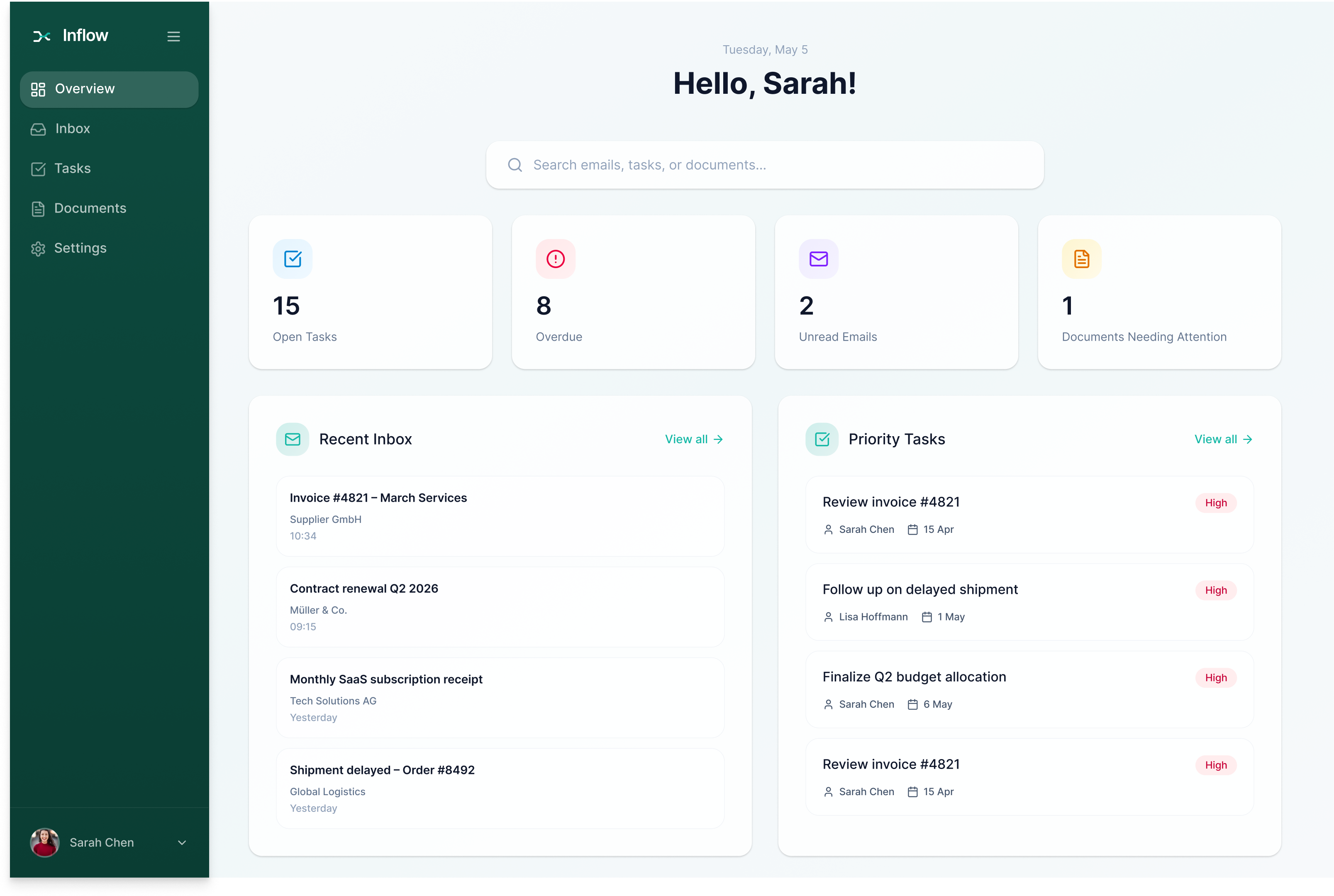
A minimal sidebar keeps the product simple and easy to navigate.
From information to action
The system is designed so every input leads to a clear next step.
The final interface follows a clean, modern SaaS design focused on clarity and efficient decision-making. A clear visual hierarchy helps users quickly understand information and prioritize actions, while AI insights are intentionally separated from core user content to maintain trust and readability. Minimal distractions keep the experience focused, helping operations teams move from information to action efficiently.
Live Prototype Demo
A comprehensive design system for building consistent, accessible, and scalable interfaces for the ApplyAI job application assistant.
Color System
Primary
#0d4b3f
Sidebar Dark
#0a3d33
Sidebar Base
#14b8a6
Accent Primary
#0d9488
Accent Dark
Neutral
#f7f9fb
Background
fffff
Card Surface
F1F1F1
Border
Text
#1e293b
Primary
#64748b
Secondary
Typography
Heading 1 — 36px / Bold
Heading 2 — 24px / Medium
Body — 16px / Regular
Caption — 14px / Regular
Spacing System
8px base grid system
8px
0.5rem
16px
1rem
24px
1.5rem
32px
2rem
48px
3rem
Components
Sidebar
Buttons
Primary Button
Secondary Button
Email Card

Supplier GmbH
Invoice #4821
Payment due by April 15
Input Fields

Search emails, tasks...
Text input
Task Card

Review contract renewal with Müller & Co.
Discuss renewal terms for Q2 2026 and negotiate pricing.
Mark Weber
•
May 5, 2026
Medium
Elevation & Style
Border Radius
8px — Small
12px — Medium
16px — Large
Shadow Levels
Small
Medium
Large
Icons & Tags
Icon System
Navigation Icons

Overview

Inbox

Tasks

Documents

Settings
Action Icons

Create Task

Assign

Reply

Search

AI
Status & Feedback Icons

Success

Warning

Info

Error
Tag / Label System
Status Tags
Open
In Progress
Done
Priority Tags
High Priority
Medium Priority
Low Priority
System Tags

AI Suggested

Needs Attention

Overdue
Has Attachment

Completed
Health Aid simplifies family health management with one platform for appointments, records, vaccinations, and shared care.
View →
Property Pro helps remote buyers and renters make confident property decisions with virtual tours, local insights, and essential property data.
View →
Let's work together.
© 2026 Fardokht Hadjisalimi. Designed & built by me.


